Change Your GFiber Internet Service Plan
Change Your Plan via the GFiber Mobile App
Before you begin, download the GFiber App from the Google Play Store or the App Store.
- Open the GFiber App and sign in.
- Tap Account.
- Tap Manage plan.
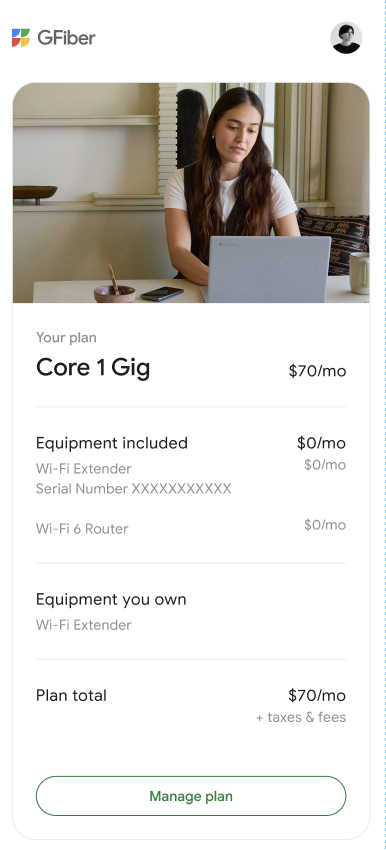
- Select your new plan based on the available options in your area. Check out this article for an overview of all of our plans and pricing. Tap Continue.
- Review the new information and tap Continue. You may be prompted to select add-on features.
- Tap Continue to confirm the change.
- Your account should now show the updated information.
 Please note that certain plan changes require you to switch your router by contacting us. If this is true for your change, follow the same steps as above. Then contact us directly through the app when prompted.
Change Your Plan via the GFiber Online Account Portal
-
Sign in to your GFiber account.
-
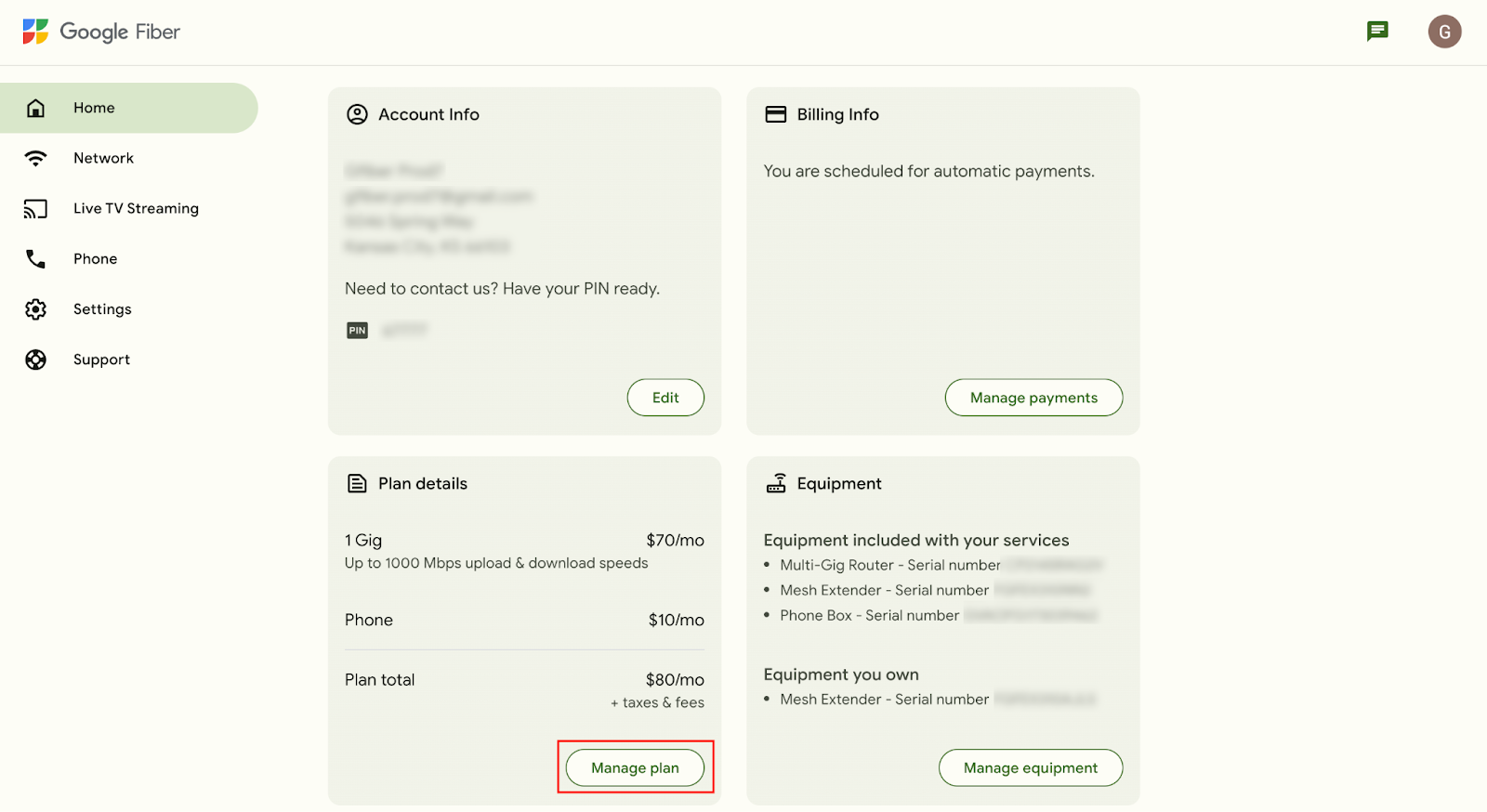
Under Plan details section, select Manage Plan.
-
Select from the available products listed, and click Continue.
- Follow the steps on screen and select Submit to finalize your plan change.
You can use your own router to connect to your GFiber network. You can find more details on how to use your own Wi-Fi router.
Downgrading from a GFiber plan of 1 Gig or faster to a plan under 1 Gig, or canceling your GFiber or Google One account, will result in the loss of your extra 1 terabyte of free Google Drive storage.
- Your storage limit will revert to the standard free level of 15 gigabytes.
- While you can still access everything stored in Google Drive, Google Photos, and Gmail, you won't be able to add new content if it exceeds the free storage limit.
Rest assured, nothing in your Drive will be deleted or removed by Google. For more details, please visit our Purchase, Cancellation, & Refund Policies page.
See more info on Google Drive storage as it relates to your GFiber plan.
All plan changes will go into effect immediately except those that require installation. Plan changes requiring installation, such as adding a Phone Box, or a swap, like a Mini Network Box for a Network Box, go into effect only once the installation is complete. You’ll receive a confirmation email once a change to your plan is submitted.
If your address is eligible for Google Fiber Phone, you can add it to your service plan from your account. You can also remove Google Fiber Phone service from your account. You can find more info on how to add/remove phone service