GFiber Edge 8 Gig Plan Overview
Edge 8 Gig overview
Edge 8 Gig is built for the high-tech household, content creators, pro gamers, and gamechangers. It delivers next-generation technology for those who are already pushing the boundaries of the internet.
What is the price of Edge 8 Gig?
Edge 8 Gig is $150/month. And as always with GFiber, there are no data caps, contracts, or hidden fees.
What are the benefits of Edge 8 Gig?
- Symmetrical 8 gig speeds: that means 8 gig upload speeds and download speeds (upload speed is the rate that online data is transferred from your computer to the Internet, while download speed refers to the rate that digital data is transferred from the Internet to your computer).
- A Multi-Gig Wi-Fi 6E Router is included and up to 2 Wi-Fi 6E Mesh Extenders are available based on GFiber Technician’s assessment during a professional install. You can request additional Wi-FI Mesh Extenders at any time by logging into your GFiber portal or contact us by chat.
- You will receive the GFiber Wi-Fi 7 Router and GFiber Wi-Fi 7 Mesh Extender if they are available in your service area.
- Free professional installation, including Priority Room Optimization to bring additional wired connectivity to the rooms that matter most.
- Internet Battery Backup (included for free when you opt-in during sign up).
- An Uptime Guarantee (if your internet connection falls below 99.9% uptime in a given month, you’ll receive a 25% credit on your monthly bill.) See our Terms of Service for details.
Speed specifics
With Edge 8 Gig, you get symmetrical downloads and uploads of up to 8 gigabits with a wired connection as long as your cables, LAN ports, and devices are capable of the speeds.
- Using the Wi-Fi 6E router and Wi-Fi 6E Mesh Extender included with your Edge 8 Gig plan, you get wireless speeds of up to 1.6 Gigs with a compatible Wi-Fi 6E or newer device.
- You will receive the GFiber Wi-Fi 7 Router and GFiber Wi-Fi 7 Mesh Extender if they are available in your service area.
- Check out this article for more information about GFiber’s maximum speeds.
Hardware Specifics
Your new plan includes a Multi-Gig Wi-Fi 6E Router and if necessary, up to 2 Wi-Fi 6E Mesh Extenders. If you’d like to purchase more extenders, log in to your account or contact us. You will receive the GFiber Wi-Fi 7 Router and GFiber Wi-Fi 7 Mesh Extender if they are available in your service area.
You’re also welcome to use your own compatible multi-gig router instead of the GFiber provided router.
Reliability Plus features
Internet Battery Backup
GFiber’s fiber optic technology uses light — rather than electrical impulses — to bring internet to your home. This means it’s built for reliability, even during power outages.
However, while the fiber network itself doesn’t need electricity, your router and Fiber Jack still do. By connecting a backup power source, you can avoid a potential internet outage in the event the power goes out at your home.
GFiber’s Internet Battery Backup provides temporary power to your GFiber router and Fiber Jack during a typical home power outage, automatically kicking in when your power goes out. This gives you time to save or even continue to work on battery-powered laptops or devices, stream shows, or shut down your gadgets safely even if you don’t have power in your home.
As long as the Internet Battery Backup is connected to your router and Fiber Jack, you’ll get up to two hours of uninterrupted, full-bandwidth internet (which means no internet slowdowns when your power goes out)*.
*Only available for Home 3 Gig customers ($10/mo) and Edge 8 Gig customers (included). Provides up to 2 hours of power for your primary point of internet connection during a power outage. Will not power extenders. May not function in a serious or widespread outage that also affects centralized networking facilities. Upload/download speed and device streaming claims are based on maximum wired speeds. Actual internet speeds, Wi-Fi speeds, and Wi-Fi coverage are not guaranteed and can vary based on factors such as home or business size and layout, construction materials, hardware and software limitations, latency, packet loss, etc. Speed as measured directly next to primary router. Plans and Reliability Plus features may not be available in all locations. Please check your address at https://gfiber.com/ to see available speeds and options for your area.
Priority Room Optimization
Your home network setup can have a significant impact on your internet performance. Wired connections offer faster speeds, better reliability and lower latency than Wi-Fi, but the logistics of hard-wiring can limit the location of wired connectivity in your home. Additionally, there are usually areas of a home — like a home office or gaming station — where you need the best internet performance possible.
Priority Room Optimization addresses this with GFiber experts assessing the connection, along with your home’s existing wiring, and designing a custom network setup to bring wired connectivity to the places your internet matters most. If your home does not support wired connectivity, your GFiber technician will optimize Wi-Fi connectivity.
More information about Priority Room Optimization can be found here.
Uptime Guarantee
Edge 8 Gig comes with an Uptime Guarantee because we know that internet is only as good as its connectivity. If your internet connection falls below 99.9% uptime in a given month, you’ll receive a 25% credit on your monthly bill. (See terms of service for details.)
Information for GFiber customers on original internet plans
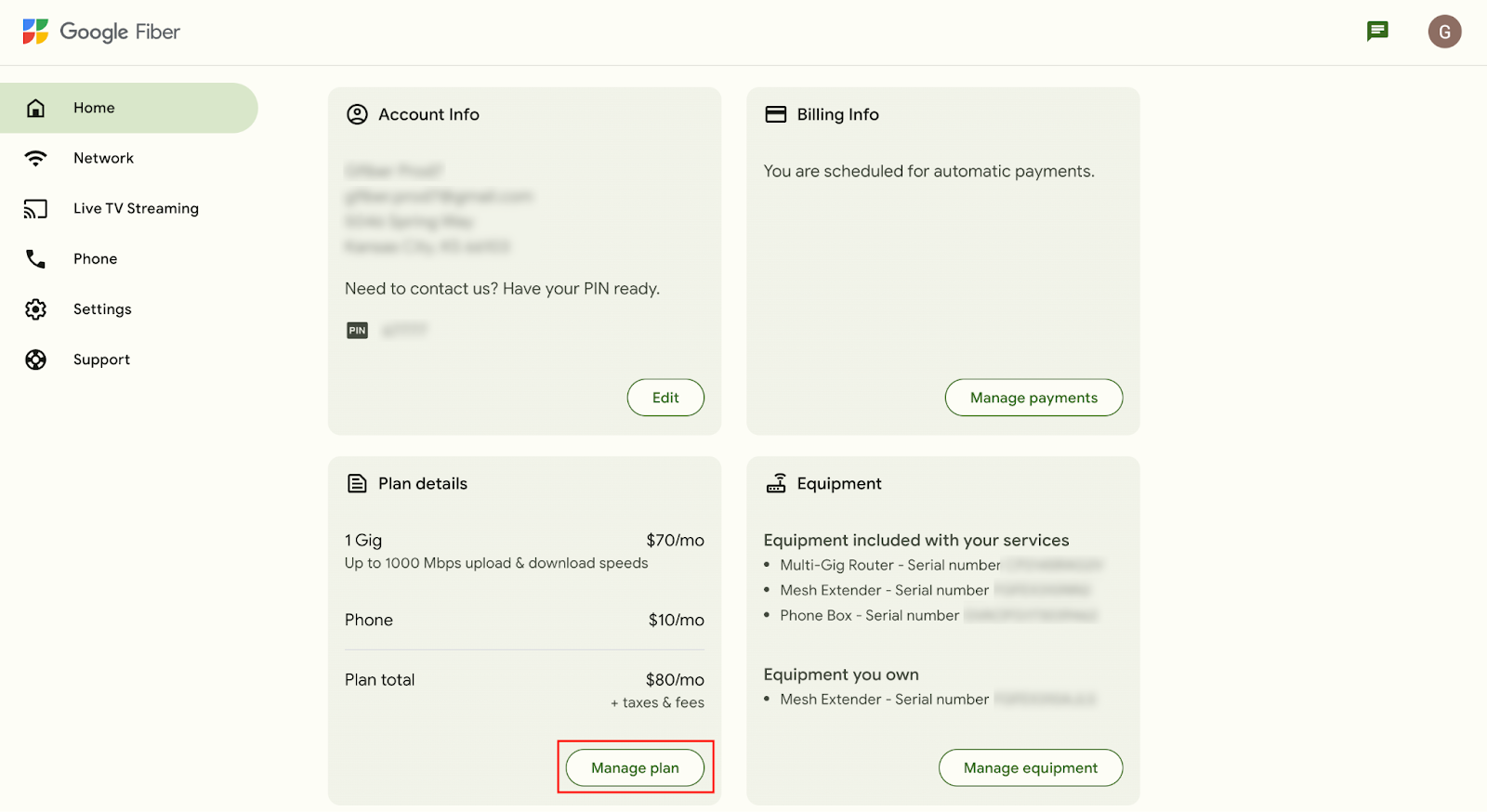
Switching to Edge 8 Gig can help you get more of your home internet. To make the switch to Edge 8 Gig from 1 Gig, 2 Gig, or 5 Gig, log in to your account at fiber.google.com and select Manage plan on the Home screen. You can also download the GFiber app from the Google Play Store or the Apple App Store and follow these instructions about how to change your plan in the app. To make the switch to Edge 8 Gig from 8 Gig, you can contact GFiber Customer Care.
If you decide to switch to Core 1 Gig, Home 3 Gig, or Edge 8 Gig, you cannot go back to your original plan (1 Gig, 2 Gig, 5 Gig, or 8 Gig). If you are unsatisfied with your new product for any reason, give us a call and we’ll help you find the best fit for your household. You can also manage your product directly from your account or the GFiber app.
